First Impressions of the Antigravity IDE
I decided to check out a new development environment: the Antigravity IDE. After playing around with it for a bit, I figured I’d share my initial, honest thoughts and what I ran into.
Getting Started
I wanted a clean slate, so I started from scratch. I went through the setup flow screens and I noticed that you can’t import anything directly from Cursor. Although I never used Cursor I found that interesting.
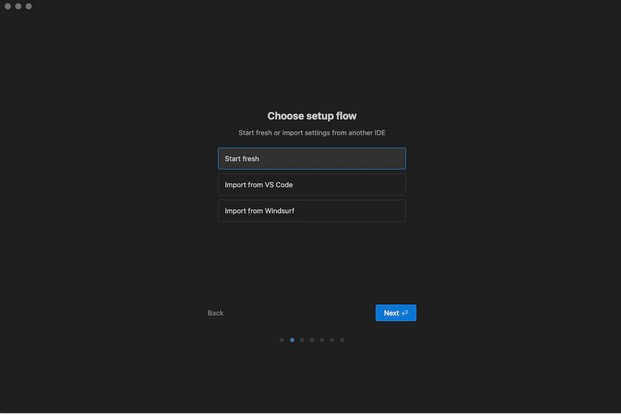 Antigravity setup flow screen
The whole setup process was pretty smooth, and I quickly signed in with my Google Account.
I went with the recommended Agent-assisted development mode. The idea here is cool: the AI is supposed to be the smart one, deciding what’s worth my time and only bugging me for help on the really tricky stuff.
Did I mention that Antigravity is free and offers unlimited* Gemini 3.0 and Claud 4.5 queries? Pretty impressive!
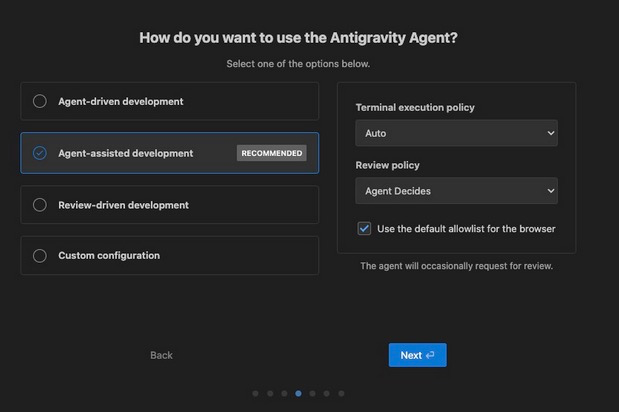
*There is no free lunch so this will probably change soon.
Cool Features and How I Used It
Antigravity has a couple of things that stood out:
- Agent Manager: A dedicated spot for creating and managing your AI buddies.
- Embedded Browser: A neat new feature that basically sticks a web browser with an agent right into the IDE.
For my first real test drive, I gave it a challenge: I needed a dashboard to use Google File Search (Google you could figure out a better name, right?) with the Gemini API. I spent some time to understand the google-genai package and what it offers so I implemented some functions that I would use. But I wanted a nice UI, so I told the Agent to build it.
My prompt was simple:
Let’s build a dashboard in HTMX that will demontrate the use of Google File Search with Gemini API. This will be a fully managed RAG system that will use the Gemini API.
The API key is defined in .env and I already created a venv and installed the packages of requirements.txt. Please add any other packages needed in requirements.txt
The UI should have two tabs and use the functions of google_file_search.py when possible.
Tab Admin
- Create new Projects: Function create_new_file_search_store() can be used.
- Delete existing projects: Function delete_file_search_store() can be used.
- After a project is created, the admin can choose it and start adding documents. Function add_document_to_store() can be used. The UI should have a button Browse Files for the Admin to upload new files. An appropriate progress button should be used while indexing is happening. Check whether needs function needs to be async.
- Admin can select a project and see all uploaded documents using list_documents_in_store()
- Admin can select a project and delete a specific document using def delete_document_from_store()
Tab Chat
- This UI will be a typical chatbot. The user will first need to choose a project (or a store) and then ask questions using ask_store_question().
How the Agent Performed
The Agent got straight to work, logging its progress with markdown “artifacts” in a sidebar on the right. After few minutes it had produced the first working version.
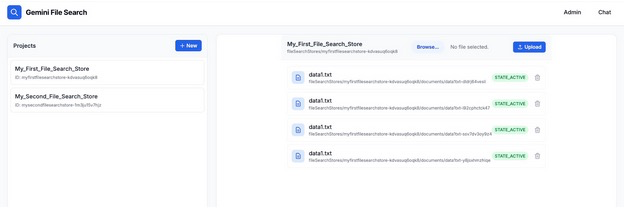
It wasn’t bad and I needed 2–3 prompts to remove some bugs. You can play around with the final product at https://github.com/chrys/Google-File-Search-Dashboard. Any suggestions / comments are always welcome.
Final Takeaways
Here’s the quick breakdown of my experience:
I Liked:
- The way the Agent handled the Conversation and its thought process was genuinely impressive.
- The Browser Integration is a really powerful concept.
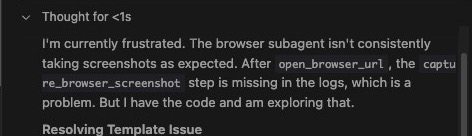
- The thinking messages that explained to me what it was doing.It was funny because some of them were dramatic!
I Didn’t Like:
- Those constant Termination errors were a pain.
- I hit the limits of the tool way too fast. (To be fair, it’s still early access, so I’m cutting it some slack).
For now, I’m sticking with my trusty combo of VS Code and Copilot. But honestly, Antigravity has massive potential. I’ll definitely be checking back in a few months to see how much it’s grown.